
AIS-100 Setup Instructions
1. Install Terminals:
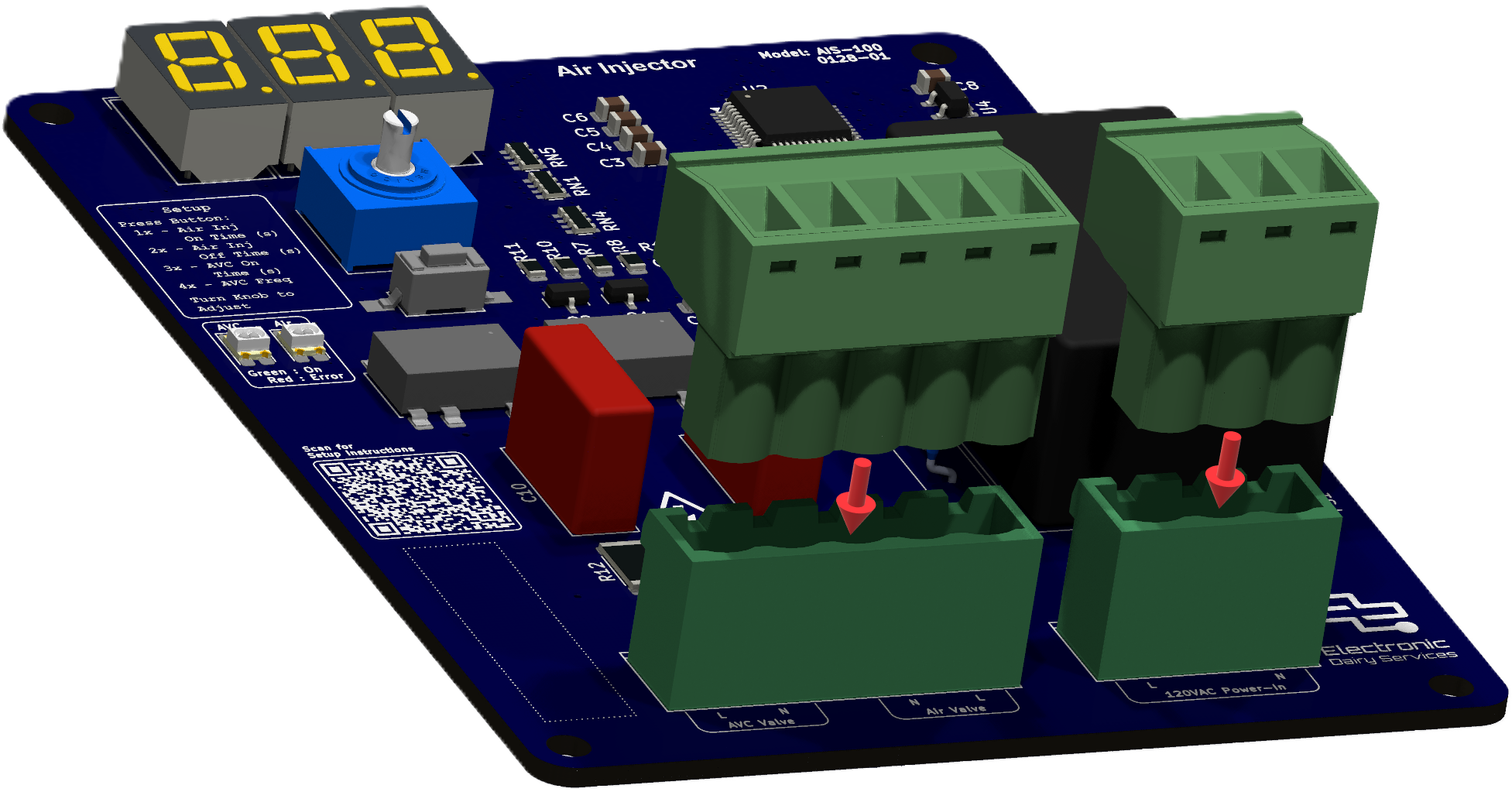
Press terminal blocks onto pin headers J1 and J2
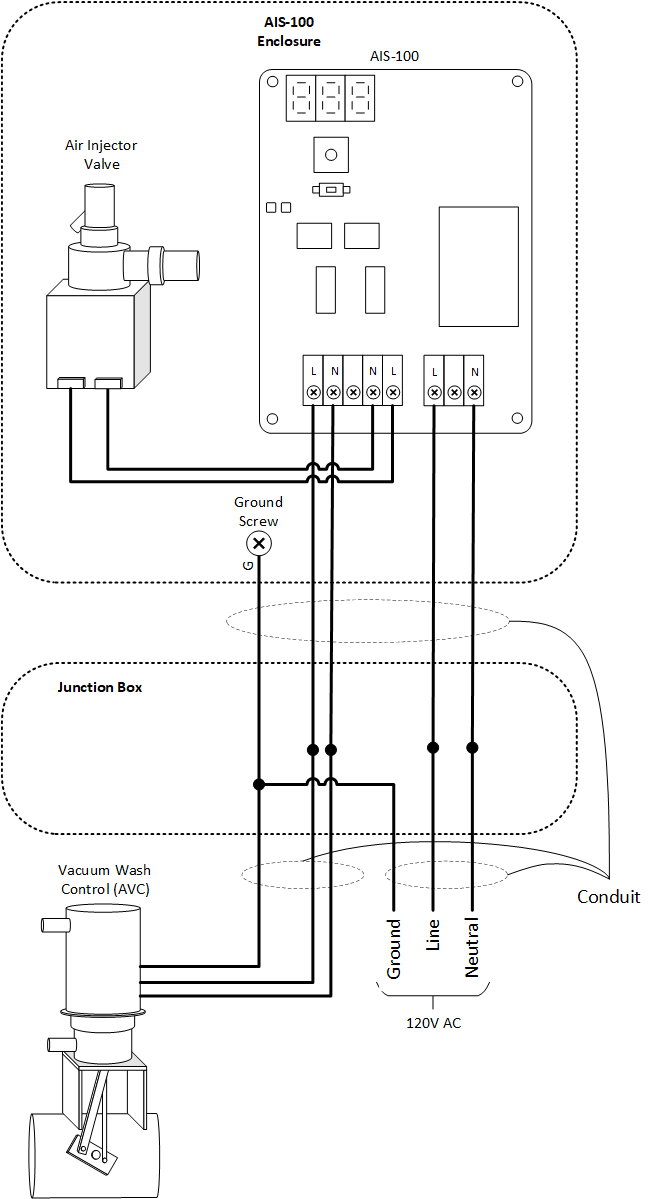
2. Attach power, contactor and probes:
Connect the Air Injector Valve and Vacuum Wash Control (AVC) as shown in the image and provide 120V power. Route all wires through conduit. See manual for more details.
CAUTION: High Voltage - Disable power before servicing.
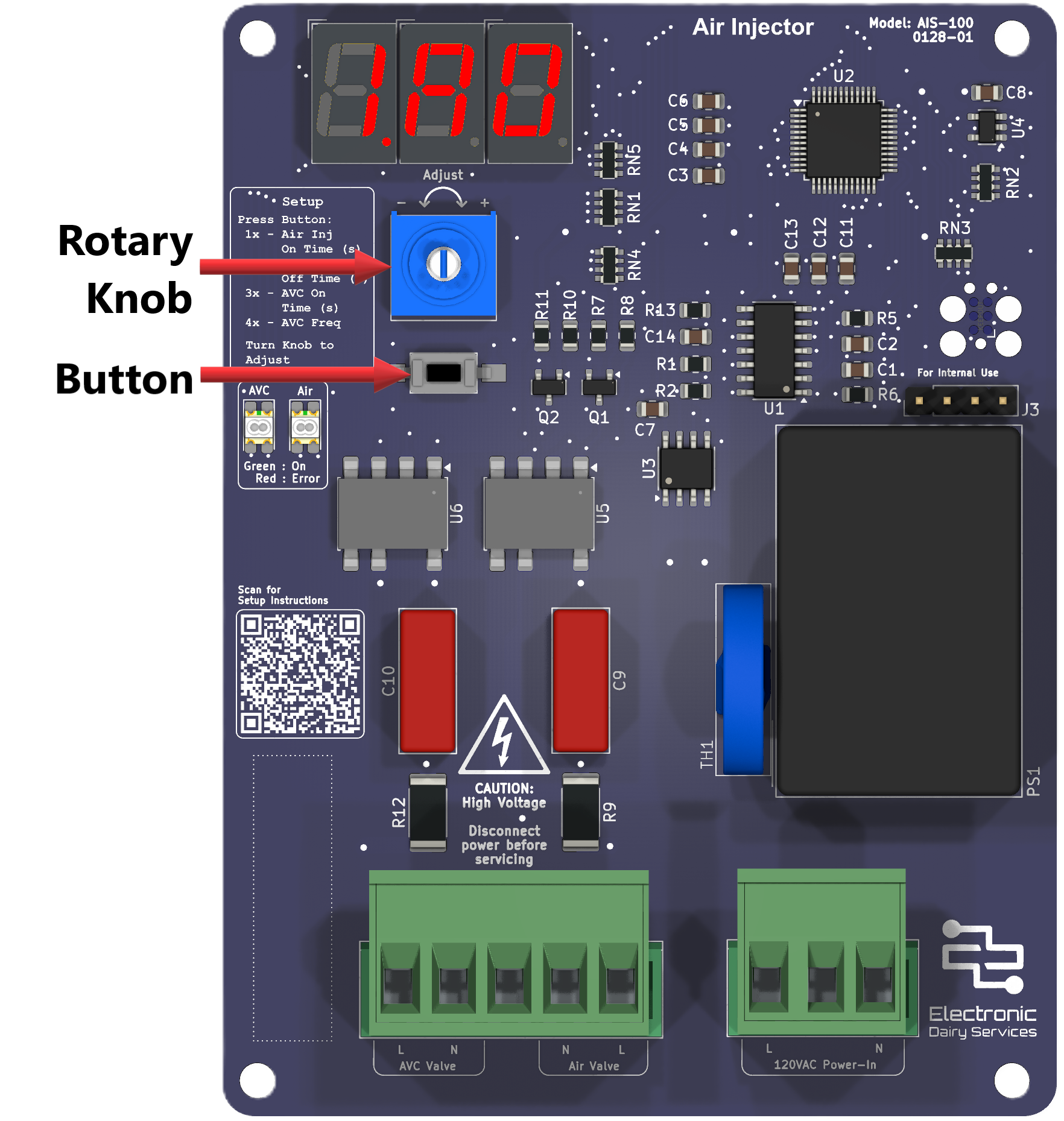
Apply power and configure the AIS-100 using a combination of the button, rotary knob and 7-segment display. Begin by pressing the button:
1x to set the Air Injector On-Time in seconds from 2.0s to 26.5s
2x to set the Air Injector Off-Time in seconds from 2.0s to 26.5s
3x to set the AVC On-Time in seconds from 1.0s to 8.0s
4x to set the AVC Frequency from 1 to 8
Turn the setup knob to adjust each value
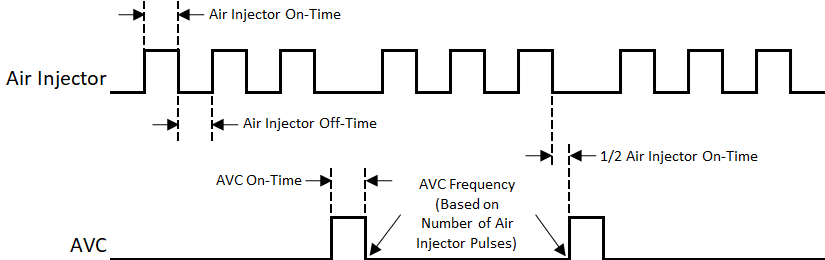
The graph shows how the Air Injector times and AVC work together
3. Configure Settings:
See the manual for more detailed information